
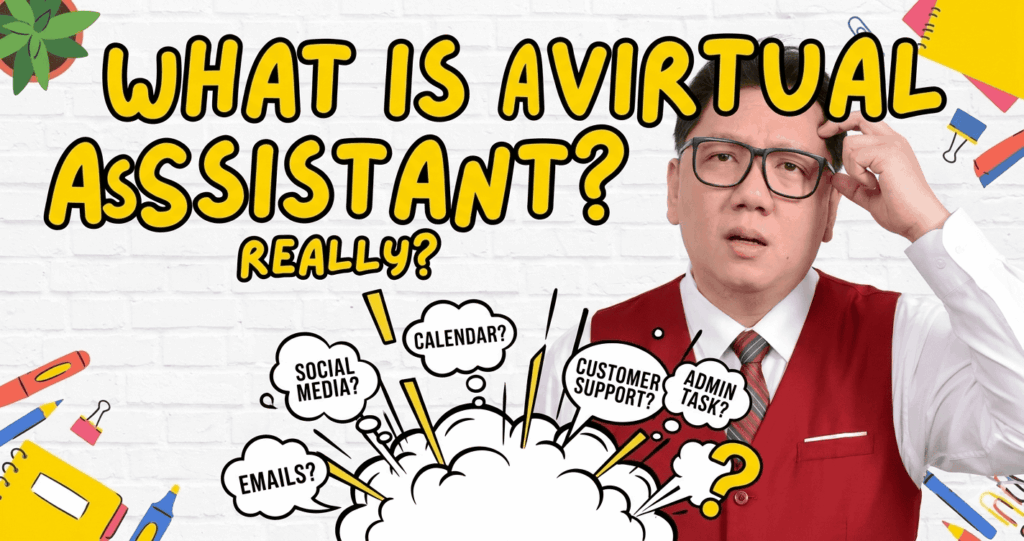
If you have ever felt like there are not enough hours in your day, you are not alone. Business owners, coaches, entrepreneurs, and executives all face the same problem: too many tasks, too little time. That is exactly why the demand for virtual assistants — or VAs — has grown so fast. But many people still ask: what does a virtual assistant actually do?
This article gives you a full and honest answer. We will cover the tasks a VA handles, the skills they bring, the tools they use, and why hiring one could be one of the smartest moves you make for your business.
What Is a Virtual Assistant?
A virtual assistant is a professional who provides support services to businesses or individuals — but works remotely. They are not in your office. They may be in another city, another country, or even another time zone.
A VA can work part-time or full-time. They can be hired for a few hours a week or for a full workday. Most VAs work as freelancers or contractors, which means you do not have to deal with the extra costs that come with a regular employee.
Quick Definition
A virtual assistant (VA) is a remote professional who handles tasks for businesses or individuals — from admin work to social media to customer support — so clients can focus on what matters most.
The VA industry has grown fast because of the internet, cloud tools, and the rise of remote work. Today, a skilled VA can do almost anything a traditional office assistant can do — sometimes even more.
Core Tasks a Virtual Assistant Handles
The honest answer is: it depends on the VA. Some specialize in one area. Others are generalists who can handle many things. But here are the most common tasks that virtual assistants are hired to do.
1. Administrative Support
This is the most common category. Admin tasks are the backbone of a VA’s work. Examples include:
- Managing emails and responding to messages
- Organizing calendars and scheduling appointments
- Booking travel, hotels, and meetings
- Data entry and file management
- Preparing documents, reports, and presentations
2. Social Media Management
Many small businesses do not have the time to post consistently on social media. A VA can help by:
- Creating and scheduling posts on platforms like Facebook, Instagram, and LinkedIn
- Responding to comments and messages
- Tracking engagement and simple analytics
- Researching trending topics and hashtags
3. Customer Support
For businesses that deal with many customer inquiries, a VA can be the first point of contact. Tasks here include:
- Replying to customer emails and chat messages
- Processing orders or refund requests
- Handling complaints in a calm and professional way
- Following up with leads or existing clients
4. Research and Data Tasks
Need information fast? A VA can help with:
- Market research and competitor analysis
- Collecting contact lists or lead data
- Summarizing articles, reports, or podcast episodes
- Finding suppliers, tools, or services for your business
5. Content Support
Many VAs assist with content creation and management. This can include:
- Proofreading and editing blog posts or articles
- Uploading content to WordPress or other platforms
- Formatting newsletters in tools like Mailchimp or ConvertKit
- Repurposing content across different platforms
6. Project and Operations Support
More experienced VAs can step into a light project management role. They might:
- Coordinate tasks between team members using tools like Asana or Trello
- Track deadlines and send follow-up reminders
- Create standard operating procedures (SOPs)
- Manage vendors, contractors, or suppliers
What Skills Does a Good Virtual Assistant Have?
Not all VAs are the same. The best ones bring a mix of hard skills and soft skills that make them genuinely useful — not just task-completers.
Hard Skills (Technical Abilities)
- Proficiency in tools like Google Workspace, Microsoft Office, or Notion
- Basic knowledge of social media platforms and scheduling tools
- Familiarity with CRM software like HubSpot or Zoho
- Email marketing platforms (Mailchimp, ActiveCampaign, etc.)
- Project management tools (Trello, Asana, ClickUp, Monday.com)
Soft Skills (Character and Work Habits)
- Strong written and verbal communication
- High attention to detail — small mistakes can cost clients time and money
- Reliability: showing up, meeting deadlines, and following through
- Problem-solving ability — a great VA does not wait to be told what to do
- Discretion and trustworthiness, especially with sensitive business data
Ian’s Note
From my experience working with clients across different industries, the skill that matters most is not technical — it’s reliability.
Clients can train you on tools. They cannot train you to be dependable.
What Tools Does a Virtual Assistant Use?
A virtual assistant works almost entirely through digital tools. Here are the most commonly used categories and examples:
| Category | Common Tools |
| Communication | Gmail, Slack, Zoom, WhatsApp |
| Project Management | Trello, Asana, ClickUp, Notion |
| File Management | Google Drive, Dropbox, OneDrive |
| Social Media | Buffer, Hootsuite, Later, Meta Business Suite |
| Email Marketing | Mailchimp, ActiveCampaign, ConvertKit |
| Time Tracking | Toggl, Clockify, Time Doctor |
| CRM / Sales | HubSpot, Zoho CRM, Salesforce Essentials |
The Difference Between a General VA and a Specialist VA
As the VA industry has grown, a clear split has appeared between two types of VAs.
General Virtual Assistant
A generalist VA can handle a wide range of tasks. They are great for business owners who need flexible help across different areas. Think of them as your all-around remote assistant — emails, scheduling, research, social media, and more.
Specialist Virtual Assistant
A specialist VA focuses on one specific area and goes deep. For example:
- A social media VA who only manages content and growth
- A bookkeeping VA who handles invoices and accounts
- A tech VA who builds funnels, sets up automations, and manages websites
- A customer service VA who handles support tickets and live chat
Neither type is better. It depends on what your business needs. Many small businesses start with a general VA and later hire specialists as they grow.
Who Usually Hires a Virtual Assistant?
You do not have to be a big company to hire a VA. In fact, most VA clients are solo business owners, small teams, or growing startups. Here are the most common types of clients:
- Coaches and consultants who need admin and social media support
- E-commerce store owners who need order management and customer service
- Real estate agents who need lead follow-up and CRM management
- Content creators and YouTubers who need research and editing help
- Agency owners who need project coordination and client communication
The common thread? They are all busy people who need more time for the work only they can do.
What a Virtual Assistant Does NOT Do
This is an important part that many clients overlook. A VA is a professional support partner — but there are limits to what they are expected to handle.
- A VA is not a business coach or strategist (unless that is their specialty)
- A VA is not responsible for making big decisions on your behalf
- A VA is not available 24/7 unless that is agreed upon in the contract
- A VA is not a replacement for a full-time team when your workload is extremely high
Knowing this helps you set realistic expectations and build a working relationship that actually lasts.
Why Hiring a Virtual Assistant Makes Business Sense
Here is the real reason why smart business owners hire VAs: it is about leverage. Instead of spending hours on admin work, you can spend that time on client calls, strategy, or product development.
Consider this simple math: if a business owner earns $100 per hour in their core work, and spends 10 hours a week on tasks a VA could handle for $10 to $20 per hour — that is a significant loss every week.
A VA does not just save you time. They help you protect the value of your time.
Bottom Line
Hiring a virtual assistant is not just about getting help. It is about making sure that the most important hours of your workday are spent on work that only you can do — and everything else is handled.
Final Thoughts
A virtual assistant is a skilled remote professional who takes on the tasks that slow you down — so you can move faster on the things that matter.
Whether you need someone to manage your inbox, post on social media, support your customers, or keep your projects on track, there is a VA out there who can do it well.
If you are ready to stop doing everything yourself, a VA might be exactly what your business needs.

Ian Tanpiuco is an ESL and virtual assistant. With a decade of experience, he has become an expert in his field. Dedicated to helping others achieve their goals, Ian works tirelessly in the classroom or as a virtual assistant.